
WINDOWS · LINUX · APPLE MAC
SADP discovery for Hikvision cameras
SADPTools is a free, independent desktop application for finding and commissioning compatible Hikvision cameras and recorders on Windows, Linux and Apple Mac.
Download SADPTools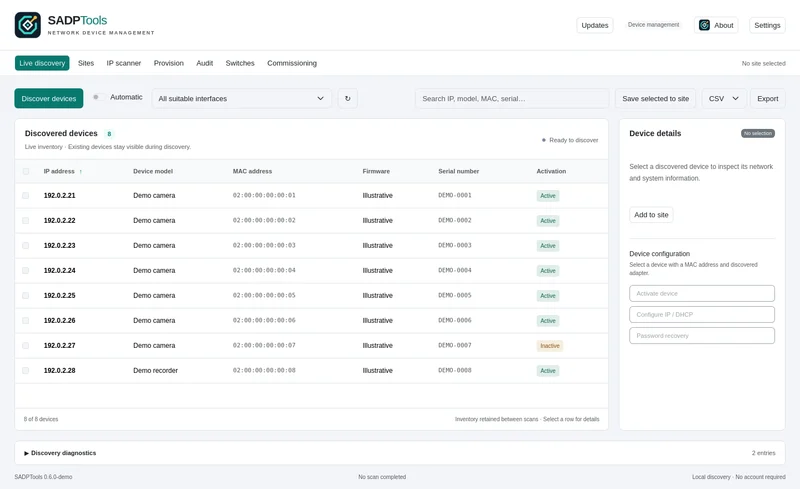
What is SADP?
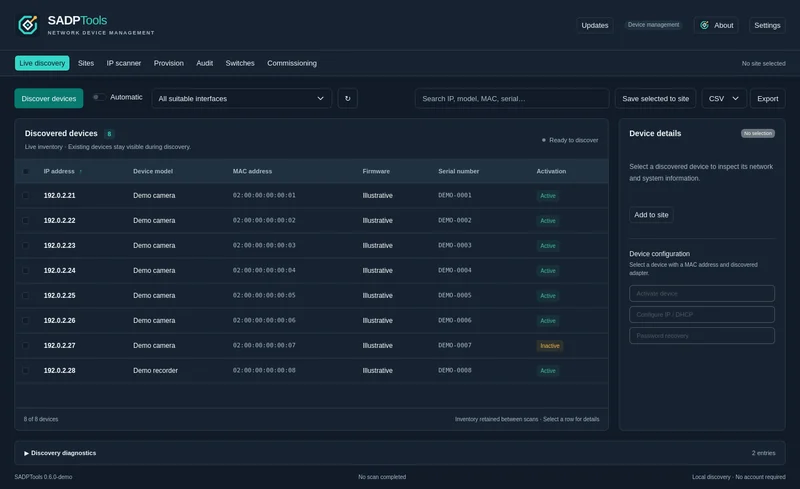
SADP means Search Active Devices Protocol. Hikvision equipment uses it to announce device information on the local network. A SADP tool can show a camera's address, model, serial number, firmware and activation status when the device supplies those values.
This is useful when a camera is new, its IP address is unknown, or its existing address does not fit your laptop's subnet. SADP discovery can find compatible devices with an out-of-subnet address when the laptop and device still share the same local Layer 2 network. Discovery does not by itself make the camera's web page reachable.
A SADP tool for Windows, Linux and Mac
SADPTools brings discovery together with supported activation, network configuration, Live View, saved sites and diagnostics. Windows users can choose an installer or standalone ZIP. Linux users have DEB, RPM and a manual installer. Mac users have a universal app for Apple Silicon and Intel.
If you searched for sadptool or a Hikvision SADP alternative, start with the same discovery workflow below. SADPTools is developed by Paul Willard and is not an official Hikvision product or affiliated with Hikvision.
Find a Hikvision camera in four steps
- Download SADPTools for your operating system and connect the laptop to the camera's network.
- Choose the connected network adapter, or scan all suitable adapters when you are unsure which one carries the cameras.
- Start discovery. Use the progress indicator and diagnostic log to follow the scan; you can cancel it or refresh again without losing the inventory.
- Confirm the model, MAC address and serial number before selecting a device for configuration. Save the equipment to a named site when you want to keep it.
Discovery, activation and network changes are different operations
Discovery reads the information a device advertises. Activation sets the first administrator password on compatible inactive equipment. IP configuration changes a supported device's network settings and needs the appropriate credentials and local adapter. These actions are explicit; a scan never automatically activates or readdresses a camera.
Password recovery uses a method supported by that device, such as previously configured security questions or a support-provided recovery code. It does not bypass security. Model, firmware and account permissions determine which actions are available.
Why a camera may not appear
SADP uses UDP port 37020 and multicast address 239.255.255.250. VLAN boundaries, isolated Wi-Fi clients, host firewalls, another application holding the discovery port, or the wrong adapter can prevent replies. A camera behind a router may be reachable in a browser while remaining invisible to local multicast discovery.
Use the CCTV camera discovery guide to choose between local discovery, adding a known IP, scanning a routed range and using a remote probe.
Is SADPTools the same as HikTools or HiTools?
No. Searches for hiktools can refer to other Hikvision-related utilities. Hikvision also uses the HiTools name for its own tools. SADPTools is a separate application with its own interface and supported workflows. Check the application name and the feature catalogue when choosing a download.
Keep the evidence with the installation
Save discovered cameras, add notes and locations, retain known credentials in protected storage, and prepare a commissioning report. See the CCTV installer workflow for moving from discovery to a portable site handover.